loop2 Please Wait...
DeveloperGang

Introduction of Java

Introduction of Java
Java programming language has been derived on the basis of OOP(Object Oriented Programming). Earlier Java was called Oak. To learn Java programming language, first you need to...

Updating WordPress On Local Server (max Execution Time)

Updating WordPress On Local Server (max Execution Time)
For Temporarily Increasing Your Max Execution Time You Can Use ini_set() in your PHP Page ini_set('max_execution_time', 300); //300 seconds = 5 minutes otherwise, you will need to...

Display Magento Categories In The Left Side Of The Homepage

Display Magento Categories In The Left Side Of The Homepage
Magento has its top menu reserved for category navigation. It’s pretty solid for displaying categories, even when there is a large number of them. In most of the cases clien...

How to Remove or Hide the Add to Cart button from a specific product of WooCommerce Plugin?

How to remove or Hide the Add to Cart button from a specific product of WooCommerce Plugin?
You can Hide or Remove the Add to cart button of the WooCommerce plugin by using any of the steps that we have listed below. Removing the Add to cart means we are assuming you d...

How To Hide Remove Disable Add To Cart Button In Woocommerce?

How To Hide Remove Disable Add To Cart Button In Woocommerce?
There is more than ONE way to hide/remove the ‘Add to Cart’ button in WooCommerce. It is after all a button, so you can hide it via CSS, JS or PHP. Here’s the co...

How to show cart contents / total Woocommerce

How To Show Cart Contents / Total Woocommerce
You can Display the Cart contents and total in any of your template file. We mainly use in header.php file to show the cart. Below is the code to display the icon: cart->get_c...

How To Show All Of Woocommerce Product Categories In A Single Page?

How To Show All Of Woocommerce Product Categories In A Single Page?
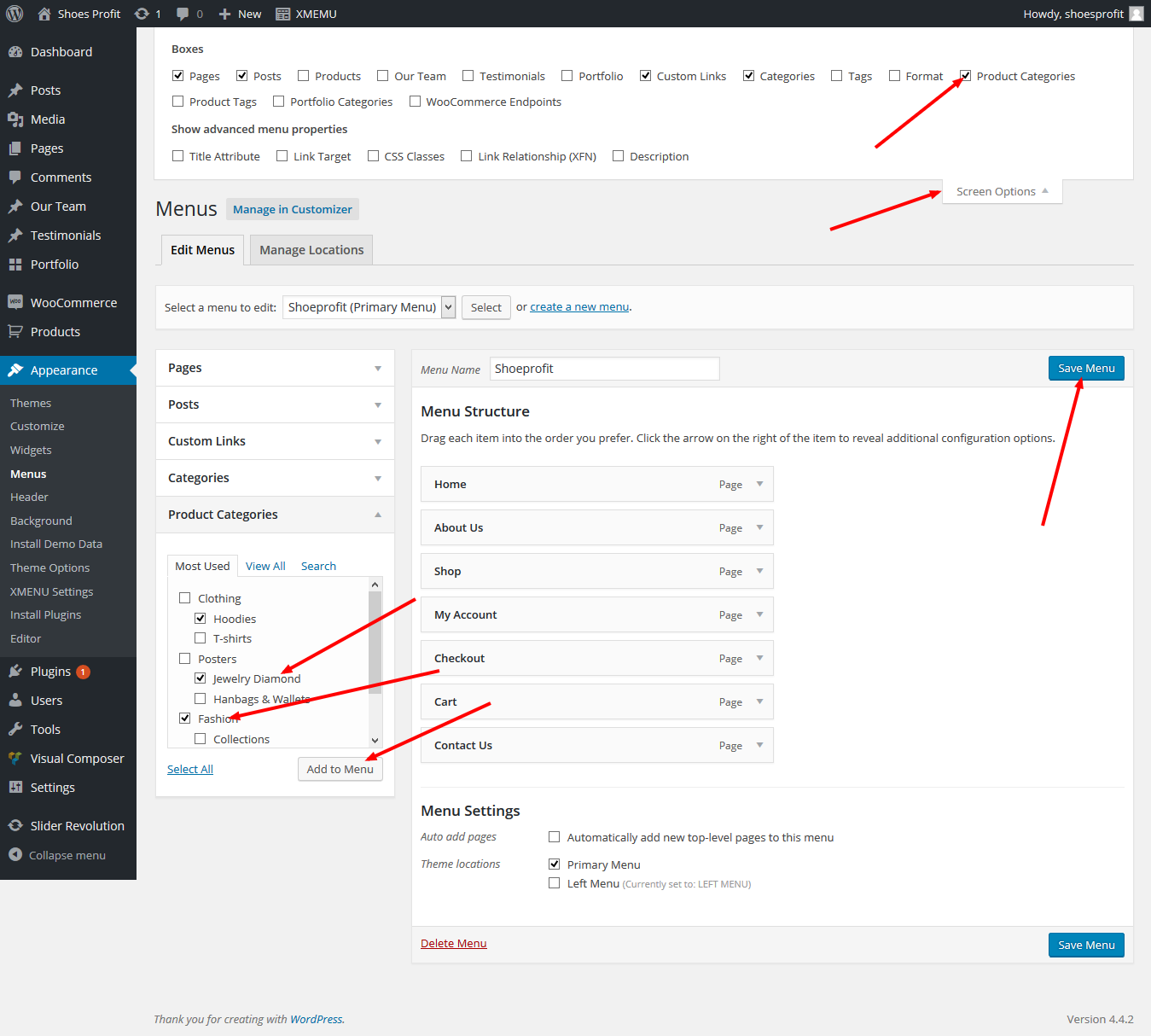
eCommerce Webstie with WordPress and Woocommerce Solved with Widget: Woocommerce widget products categories will help you. It is in Widgets menu Solved without Widget: or By t...

How To Check If Current Page Is Homepage In Magento?

How To Check If Current Page Is Homepage In Magento?
In this article, I am going to explain the basic code for Magento through which we can identify the page on which we have. If we like some js, CSS or image files need to be loaded...

Woo-commerce Short-codes For Pages

Woo-commerce Short-codes For Pages
Woocommerce Comes With Several Short-codes Which Are Shown Below One By One : For cart page === [woocommerce_cart] For checkout page === [woocommerce_cart] For order tracking...

Custom Redirect After Purchase In Woocommerce

Custom Redirect After Purchase In Woocommerce
Solved 1st: If you want to redirect a customer to a different page rather than the Thank you page, like for example, the My account page, you can do that adding this code in the f...

Displaying All Posts ....

Lorem ipsum dolor sit amet consectetur adipisicing elit. Fuga, aspernatur.